Body
Overview
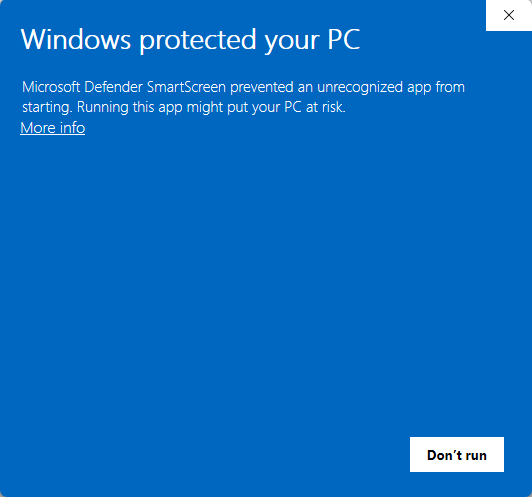
When EchoVideo updates the security certificate on the PointSolutions Windows installer, some users may see a Windows SmartScreen message the first time they run the new version. In this case, Don’t run will appear as the default option. See PointSolutions Desktop: Windows and Antivirus Software for more information.
This is expected behavior with certificate updates and does not indicate a problem with the installer. To proceed with installation:
- Click More info on the SmartScreen dialog.
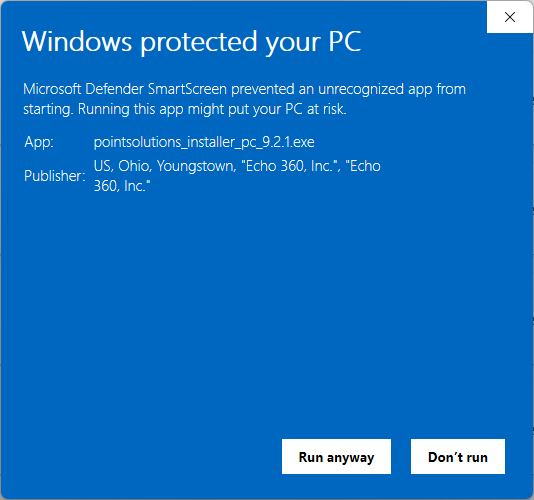
- Select Run anyway to launch the PointSolutions installer
. 
Once the installer has been run after a certificate update, this prompt should no longer appear for that version on your device. This prompt is expected during certificate updates, and the installer remains properly signed and verified by Echo360.